
5 Signs You Need a Custom CRM
Recognising the 5 signs you need a custom CRM can help you decide whether to improve your existing platform, connect your current tools or invest in bespoke CRM software designed around your business
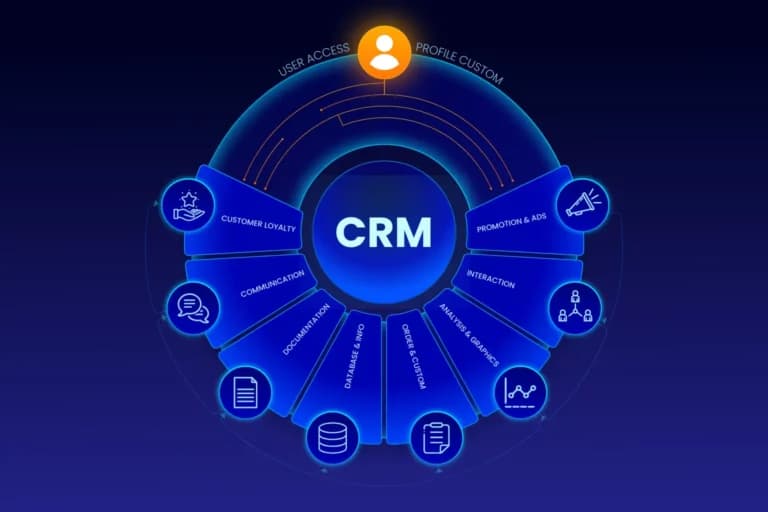
As a business grows, managing customer relationships can become more complicated than maintaining a contact list. Sales enquiries arrive through different channels, customer information sits in multiple systems, and staff spend valuable time updating spreadsheets instead of moving work forward.
An off-the-shelf CRM can solve many of these problems. But when your sales process, service delivery or reporting requirements no longer fit the software, repeatedly adding workarounds may create more complexity than it removes.
Recognising the 5 signs you need a custom CRM can help you decide whether to improve your existing platform, connect your current tools or invest in bespoke CRM software designed around your business.
For Australian businesses, the decision should consider more than features. Implementation costs, data security, integrations, user adoption and long-term maintenance all affect whether a custom CRM is a sensible investment.
What Is a Custom CRM?
A custom CRM (customer relationship management system) is software designed around an organisation's specific customer-management processes, data requirements and operational workflows.
Unlike a standard CRM configured using existing features, a custom-built system can include tailored sales pipelines, quoting processes, customer portals, approval workflows, dashboards and integrations that reflect how the business operates.
For example, a construction company might need to track enquiries, site inspections, estimates, project handovers and ongoing client communication in one connected system. A standard CRM may handle the contact-management side well but require additional tools or workarounds for the rest of the process.
That does not mean every business needs bespoke software. If an existing CRM can meet your requirements through sensible configuration, it may be the more economical option.
The key is to identify when the limitations of your current setup are creating enough operational friction to justify a different approach.
1. Your Business Processes Do Not Fit Standard CRM Workflows
One of the clearest signs that you may need a custom CRM is that your team continually adapts its processes to fit the software instead of the software supporting the way your business works.
Many CRMs provide standard sales pipelines, task management, contact records and reporting. These features work well when your processes follow a relatively conventional structure.
Problems emerge when your business has more specialised requirements.
For example, a service business might need to move an enquiry through qualification, a site assessment, a customised quotation, scheduling, service delivery and follow-up. If the CRM only supports a basic lead-to-sale process, staff may start tracking the missing stages in spreadsheets or separate applications.
Before considering custom development, ask whether the existing CRM can accommodate the workflow through configurable fields, pipeline stages, business rules or supported extensions.
A custom CRM becomes more compelling when important business rules, approvals or relationships between records cannot be represented adequately without complex workarounds.
What to look for: Repeated manual adjustments, inconsistent handovers, work tracked outside the CRM and processes that depend on individual employees remembering what happens next.
What to do next: Document the current workflow from the first customer interaction to the final outcome. Identify where the software creates delays, which decisions require business-specific rules and what must change.
This gives a developer a clear starting point and reduces the risk of building software around assumptions rather than actual business needs.
2. Customer Information Is Scattered Across Spreadsheets and Disconnected Systems
A CRM should help your team maintain a dependable view of customer relationships. If important information remains spread across spreadsheets, email inboxes, accounting software and separate operational tools, that view may be incomplete.
The problem is not necessarily the number of applications you use. Different systems often serve legitimate purposes. The difficulty arises when staff repeatedly enter the same information, cannot determine which record is current or must manually transfer details between systems.
Consider a business that receives enquiries through its website, prepares quotations in another application and manages customer communication through email. If those activities are disconnected, a salesperson may not know whether a quote has been sent or whether another team member has already contacted the customer.
A custom CRM can help centralise the relevant customer information and connect systems where appropriate. It can also establish clearer rules about which application owns particular data and how changes are shared.
However, integration may solve the problem without requiring an entirely new CRM. Existing platforms may support APIs, connectors or other integration methods that eliminate duplicate entry while preserving the tools your team already uses.
What to look for: Duplicate customer records, inconsistent contact details, repeated data entry, missing interaction history and uncertainty about which system contains the latest information.
What to do next: Map where customer information originates, where it is stored and which teams need it. Identify the essential integrations and decide which system should remain the authoritative source for each type of record.
This assessment helps determine whether you need integration work, CRM improvements or a custom system that combines several workflows.
3. Reporting Takes Too Much Manual Work
A CRM should help decision-makers understand what is happening across the customer lifecycle. If preparing a reliable report requires exporting data, combining spreadsheets and manually checking figures, your current system may not provide the visibility your business needs.
The issue becomes particularly important when management cannot answer basic operational questions consistently.
For example:
- How many enquiries are waiting for a response?
- Which quotations need follow-up?
- Where are customer requests getting delayed?
- Which sales stages have the highest drop-off?
- How much work is scheduled, completed or awaiting approval?
If answering these questions requires several people to compile information from different systems, reporting may be consuming time that could be spent acting on the results.
A custom CRM can incorporate dashboards, tailored reports, validation rules and workflow tracking designed around your business's actual performance measures.
However, custom software cannot automatically correct poor data quality. If staff use inconsistent definitions, leave important fields blank or record activities differently, even a sophisticated dashboard can produce misleading results.
What to look for: Repeated manual reporting, conflicting figures between departments, missing status information and limited visibility into the reasons behind delays.
What to do next: Define the decisions your reports need to support. Identify the data required for each measure, who is responsible for maintaining it and how the information should be validated.
The objective is not to build more dashboards. It is to make important business information easier to trust and use.
4. Your Team Avoids the CRM or Relies on Workarounds
A CRM is only useful when the people responsible for customer relationships can use it consistently.
If employees maintain their own spreadsheets, delay updating records or avoid particular screens, the problem may extend beyond training. The software could be too complicated, contain irrelevant fields or require unnecessary steps to complete routine tasks.
Low adoption is particularly damaging when different teams rely on the same customer information. Sales may believe a lead is qualified, operations may lack the relevant requirements, and management may be making decisions using incomplete records.
Before replacing the system, investigate why people avoid it.
Possible causes include:
- Forms that request unnecessary information.
- Confusing navigation or unclear record ownership.
- Repetitive data entry that could be automated.
- Workflows that do not match employees' responsibilities.
- Poor performance or unreliable integrations.
- Insufficient training and unclear expectations.
Some of these problems can be resolved through configuration, process improvement or better training. A custom CRM may be justified when the fundamental user experience or workflow requirements cannot be addressed adequately through the existing platform.
A tailored system can simplify role-specific screens, automate routine actions and make relevant information easier to access.
What to look for: Incomplete records, frequent complaints, inconsistent processes between employees and a growing collection of unofficial tracking tools.
What to do next: Speak with the people who use the system every day. Identify the tasks that create the most friction and distinguish software limitations from process or training problems.
Involving users before development begins also improves the chances that the finished system will fit their real working needs.
5. Your Business Is Growing Faster Than Your Systems Can Support
Growth often exposes weaknesses that were manageable when the business was smaller.
A process that worked with a handful of customers may become difficult when enquiries increase, several teams handle the same accounts or each customer requires a different sequence of approvals and services.
The result may be more administrative work, inconsistent customer experiences and increasing dependence on individual employees to coordinate activities manually.
For example, a growing service business may need to connect enquiry management, quotation approvals, scheduling, customer communication and reporting. If each function operates independently, adding staff may increase coordination costs without resolving the underlying problem.
A custom CRM can be designed to support those connected workflows, provided the requirements are sufficiently clear and the benefits justify the investment.
Scalability should also include more than handling additional records. Consider whether the system can accommodate new user roles, changing business rules, additional integrations and future reporting requirements without becoming difficult to maintain.
What to look for: Increasing administration as customer volume grows, repeated handover problems, limited management visibility and expensive workarounds whenever the business changes.
What to do next: Separate your current requirements from possible future features. Identify the essential capabilities needed now and the changes you reasonably expect over the next few years.
A phased development approach can help you prioritise the most important workflows first, validate the solution with real users and add further functionality as business needs become clearer.
Custom CRM vs Off-the-Shelf CRM: Which Is Right for Your Business?
Identifying these signs does not automatically mean you should commission a custom CRM. The right solution depends on the underlying problem, the capabilities of your current software and the cost of maintaining each option.
| Approach | Best suited to | Main consideration |
|---|---|---|
| Configure an existing CRM | Your core processes fit the platform but need better fields, stages, permissions or automation | Usually worth assessing before commissioning a custom build |
| Integrate existing systems | Your tools work individually but do not share information effectively | Integration quality, data ownership and ongoing connector costs matter |
| Build a custom CRM | Essential workflows or data requirements cannot reasonably be handled by available platforms | Requires discovery, development, testing, support and ongoing maintenance |
A useful rule is to avoid custom development until you understand why the current approach is failing.
If the main issue is poor data quality or a lack of user training, a new system may reproduce the same problems. If the issue is a fundamental mismatch between your business processes and the available software, custom development deserves closer consideration.
How Much Does Custom CRM Development Cost in Australia?
Custom CRM pricing depends on the complexity of the workflows, the number of integrations, data migration requirements, reporting, security, testing and ongoing support.
Graphica Pro Artistry publishes the following starting prices for its wider custom software development services:
- Discovery: from $2,500, credited against the build if you proceed.
- Focused first release: from $9,500.
- Multi-module system: from $25,000+.
- Ongoing support: from $499 per month.
These are published starting prices for custom software, not a fixed price list for every CRM project. Your actual investment will depend on the agreed scope and requirements.
A useful proposal should explain which workflows are included, what integrations are required, how existing data will be migrated, how the system will be tested and what support will be available after launch.
It should also distinguish essential features from later enhancements. This helps you avoid paying for functionality that has not yet been validated as necessary.
A phased first release can be a sensible option when the business needs to solve a specific operational problem before investing in a larger system.
Security, Data Ownership and Australian Business Considerations
A custom CRM may hold contact details, customer communications, commercial information and other sensitive business records. Security and data governance should therefore be considered during discovery, not added as an afterthought.
Before development begins, clarify:
- Who can access, change or export different types of information.
- How authentication, backups and recovery will be handled.
- Which external services or integrations will receive customer data.
- How data will be migrated and checked for accuracy.
- Who owns the developed code and controls the relevant accounts.
- How the system will be maintained and transferred if you change providers.
Australian businesses should also assess their privacy obligations based on their activities and the information they handle. The Office of the Australian Information Commissioner explains that applicable entities must take reasonable steps to protect personal information against misuse, interference, loss and unauthorised access, modification or disclosure.
Australian hosting can be an important consideration, but hosting location alone does not establish compliance. Access controls, operational security, data handling, third-party services and applicable legal obligations also matter.
Is It Time to Explore a Custom CRM? Use This Checklist
Before requesting a proposal, ask your team:
- Do our core customer workflows require repeated workarounds?
- Are spreadsheets or disconnected applications acting as unofficial systems of record?
- Does manual reporting prevent us from getting timely, reliable information?
- Are employees avoiding the CRM because essential tasks are unnecessarily difficult?
- Are growth and changing business requirements exposing limitations in our current setup?
- Have we investigated configuration, training and integration alternatives?
- Can we define the specific outcomes a new system should deliver?
If several answers are yes, a structured assessment may be worthwhile. It should establish the root causes, prioritise requirements and compare the likely cost of improvement against the cost of a custom build.
Frequently Asked Questions
What are the main signs you need a custom CRM?
The main signs are workflows that do not fit existing software, fragmented customer data, manual reporting, poor user adoption and business growth that exposes system limitations. These symptoms indicate that your current setup needs review, although configuration or integration may solve the problem without a custom build.
Is custom CRM software better than an off-the-shelf CRM?
Not necessarily. Off-the-shelf platforms are often more economical when their existing features meet your requirements. Custom CRM software is worth considering when important workflows, data relationships or integrations cannot reasonably be supported by available solutions.
When should a small business build a custom CRM?
A small business should consider a custom CRM when a clearly defined operational problem is costing enough time or money to justify development, and existing software cannot solve it adequately. Business size alone is not a reliable reason to build one.
How long does custom CRM development take?
The timeline depends on discovery, workflow complexity, integrations, data migration and testing. Graphica Pro Artistry describes phased delivery for its custom software projects, with focused first releases intended to become usable sooner than a single large implementation. The timeline for a particular CRM should be confirmed after requirements are assessed.
Can a custom CRM integrate with existing business software?
Yes, depending on the systems involved and the availability of suitable APIs or supported integration methods. Common considerations include accounting software, website enquiries, ecommerce platforms, email services and operational applications. Each integration should have a defined purpose, data ownership rules and an approach to handling errors.
How do I know whether I need CRM customisation or a completely custom CRM?
Start by identifying the exact limitation. If standard fields, workflows, permissions or supported integrations can solve it, configuring the existing CRM may be sufficient. If the underlying data model or essential business process cannot reasonably fit the platform, a custom-built solution may be more appropriate.
Final Thoughts
The 5 signs you need a custom CRM are best understood as evidence that your current systems may no longer fit your business—not as an automatic instruction to commission new software.
Start by documenting the workflows that cause the most friction, investigating why existing tools fall short and identifying the operational improvements that matter most. Then compare configuration, integration and custom development before making a commitment.
Graphica Pro Artistry provides custom software development in Melbourne, including CRM systems, integrations, dashboards and other business applications. If your team has outgrown spreadsheets or an off-the-shelf system that no longer fits, you can explore the custom software development service and request a discussion about your requirements.
The goal is not to build the most complicated CRM. It is to create a system that solves the right problems, supports your team and remains practical to maintain as your business grows.